Hand Stretching for Gamers: Best Exercises to Prevent Hand Pain

From Dr. Z - Carpal tunnel syndrome specialist

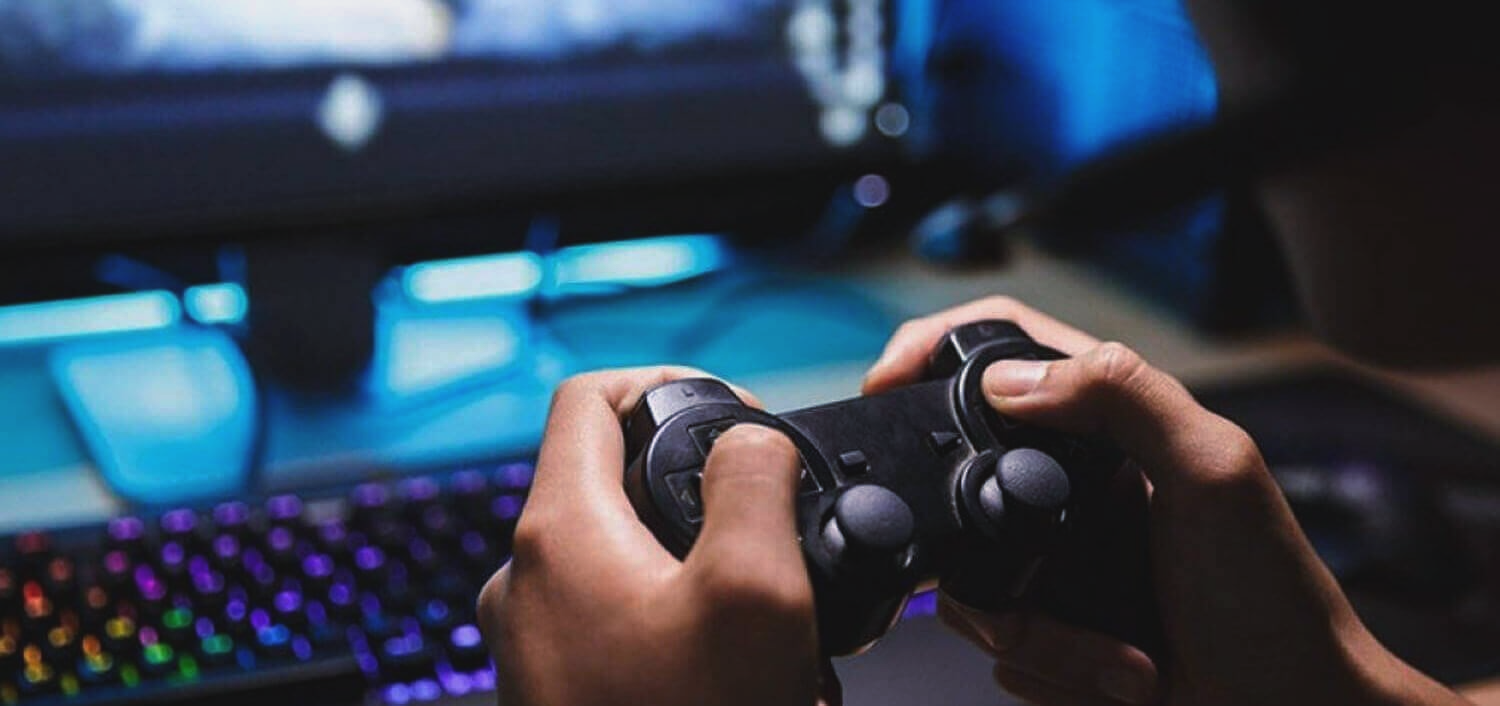
fingers on a gaming console

Hand stretching for gamers can help prevent repetitive stress injuries like carpal tunnel syndrome, tendonitis, finger stiffness, and hand fatigue. Regular stretching improves flexibility, circulation, nerve mobility, and hand endurance during long gaming sessions.

Long gaming sessions place constant stress on the hands, fingers, wrists, and forearms. Over time, repetitive clicking, gripping, key pressing, and controller use can irritate tendons, compress nerves, and strain muscles.


That’s why hand stretching for gamers is so important. Regular stretching helps reduce stiffness, improve blood flow, maintain flexibility, and lower the risk of repetitive stress injuries like carpal tunnel syndrome.


These stretches are simple, require no equipment, and can be performed during short gaming breaks throughout the day.

Hand stretching for gamers helps prevent repetitive stress injuries.

Regular wrist, hand, finger, and thumb stretches improve flexibility, circulation, and tendon mobility while reducing the risk of carpal tunnel syndrome, tendonitis, stiffness, and gaming-related hand fatigue.

Think Gaming Is Causing Carpal Tunnel?

Use these two free tools to check your symptoms and estimate how severe your condition may be.

People Also Ask

Can hand stretches prevent carpal tunnel syndrome in gamers?
Yes. Regular hand stretching may help reduce tendon tightness, improve circulation, and lower repetitive stress on the median nerve.

How often should gamers stretch their hands?
Most therapists recommend stretching every 1–2 hours during long gaming sessions.

What are the best hand stretches for gamers?
Prayer stretches, thumb stretches, finger stretches, and wrist mobility exercises are among the best stretches for gamers.

Can gaming cause hand pain and numbness?
Yes. Long gaming sessions can contribute to repetitive stress injuries including tendonitis and carpal tunnel syndrome.

Why Hand Stretching for Gamers Matters

Gaming places continuous stress on:

  • finger tendons
  • wrist joints
  • forearm muscles
  • thumb joints
  • the median nerve


Over time, repetitive movement and prolonged gripping can lead to:


Regular stretching improves:

  • circulation
  • tendon mobility
  • flexibility
  • joint movement
  • nerve gliding


Stretching also encourages gamers to take regular breaks, which is one of the most important ways to reduce repetitive stress injuries.

How Often Should Gamers Stretch Their Hands?

Most therapists recommend stretching every 1–2 hours during long gaming sessions.


Each stretch should be performed gently. Stretch only until you feel mild discomfort — never pain.


If a stretch causes unusual pain, numbness, or worsening symptoms, stop and consult your doctor.


Short, frequent stretching sessions are generally more effective than doing long stretching routines only once or twice per day.

Rule of Thumb

Stretch to mild discomfort only — never sharp pain. Aggressive stretching can worsen irritated tendons and nerves.

1. Palm & Hand Stretch

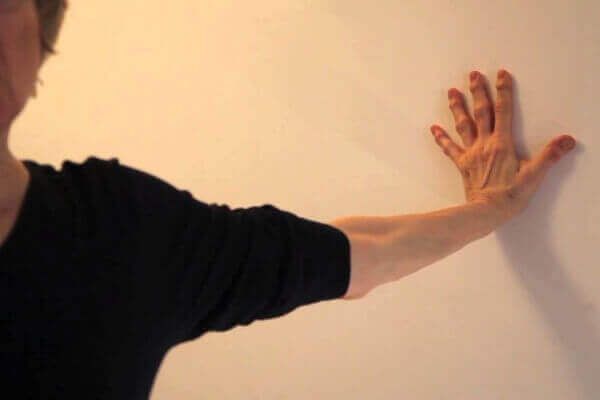
person with their palm against a wall
  1. Place your palm flat against a wall and spread your fingers widely.
  2. Straighten your elbow while gently pressing into the wall.
  3. Tilt your head sideways toward the opposite shoulder.
  4. Slowly rotate your shoulder inward.
  5. Hold for 30 seconds and repeat on the other side.

This stretch targets:

  • wrist flexors
  • forearm muscles
  • finger tendons

2. Prayer Stretch

woman doing a prayer stretch
  1. Press both palms together in a prayer position.
  2. Keep fingers pointing upward.
  3. Raise your elbows slowly while relaxing your shoulders.
  4. Hold for 30 seconds.
  5. Shake your hands out afterward.

This stretch helps:

  • improve wrist flexibility
  • reduce forearm tightness
  • improve circulation

3. Stop Stretch

palm and fingers stretching exercise
  1. Hold one hand up as if you are signaling “STOP.”
  2. With your opposite hand, gently grab your fingers.
  3. Pull the fingers backward slowly.
  4. Hold for 10 seconds.
  5. Drop your hands and shake them out.
  6. Repeat on the opposite side.

This stretch helps:

  • stretch the wrist flexor tendons
  • reduce finger stiffness
  • improve flexibility in the palm and fingers

Gamers who use controllers or keyboards for long periods often develop tightness in these tissues.

4. Reverse Stop Stretch

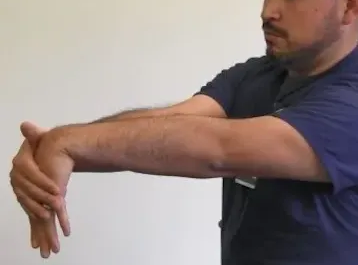
reverse stop stretch
  1. Extend one hand forward with fingers pointing downward.
  2. Use your opposite hand to cup the back of the stretched hand.
  3. Gently pull the hand toward your body.
  4. Hold for 5 seconds.
  5. Repeat on the other side.

You should feel stretching across:

  • the top of the wrist
  • finger extensor tendons
  • forearm muscles

This exercise balances the muscles used heavily during gaming and typing.

5. Finger Stretch

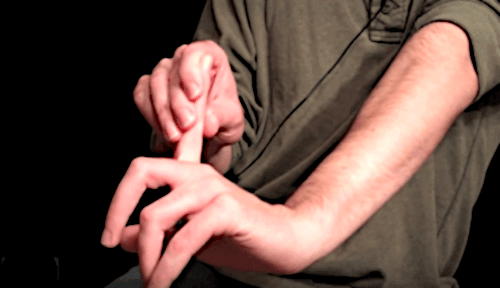
index finger stretch
  1. Straighten one finger.
  2. Gently pull the finger backward.
  3. Hold the stretch for 5 seconds.
  4. Repeat for every finger on both hands.

This stretch improves:

  • finger flexibility
  • tendon mobility
  • joint movement
  • circulation to the fingers

Finger stretching is especially useful for:

  • PC gamers
  • esports players
  • controller gamers
  • mobile gamers

...because finger repetition is often constant during gameplay.

6. Thumb Flexor Stretch

thumb stretching exercise

The thumb is one of the most heavily stressed structures during gaming, especially while gripping controllers or using thumbsticks.

  1. Grab your thumb gently.
  2. Pull it backward slowly.
  3. Hold the stretch for 10 seconds.
  4. Next, rotate the thumb slowly in circles.
  5. Reverse directions and repeat.

This stretch helps:

  • improve thumb mobility
  • reduce thumb stiffness
  • stretch thumb tendons
  • decrease joint tightness

Thumb stretches are particularly important for console gamers and handheld gaming users.

7. Thumb Extensor Stretch

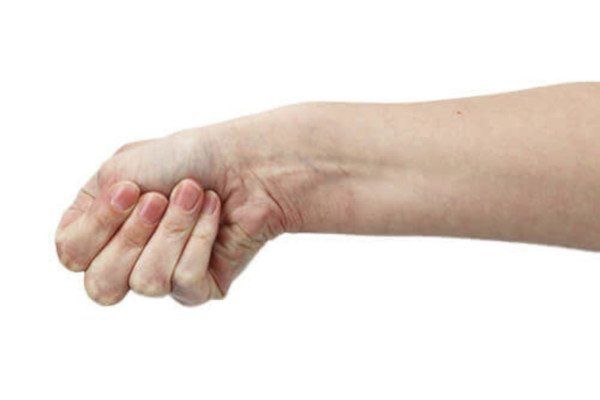
Finkelstein test
  1. Bend your thumb into your palm.
  2. Wrap your fingers over the thumb.
  3. Slowly bend your wrist toward the pinky side.
  4. Hold for 30 seconds.
  5. Repeat on the opposite hand.

You should feel stretching along:

  • the thumb side of the wrist
  • thumb tendons
  • forearm muscles

This stretch is commonly used to identify irritation involving thumb tendons and may reproduce symptoms associated with De Quervain's Tenosynovitis.


If this stretch produces significant pain, stop the exercise and consider medical evaluation.

8. Finger Interlace Stretch

interlaced finger stretching exercise
  1. Interlace all fingers together.
  2. Rotate your palms outward so they face away from your body.
  3. Extend your arms forward gently.
  4. Hold for 10 seconds.
  5. Relax and shake out your hands.
  6. Repeat once more.

This stretch improves:

  • finger flexibility
  • wrist mobility
  • tendon gliding
  • circulation

It is particularly helpful after long periods of gripping controllers or using keyboards.

9. Helicopter Stretch

man twirling his hands over his head
  1. Raise both hands overhead.
  2. Make loose fists.
  3. Slowly rotate your wrists in large circles for 10 seconds.
  4. Reverse directions for another 10 seconds.
  5. Drop your hands and shake them out.

This stretch helps:

  • improve wrist mobility
  • loosen stiff joints
  • improve circulation
  • reduce forearm tightness

The movement also helps counteract prolonged static wrist positioning during gaming.

Gaming Recovery Tip

Stretching works best when combined with frequent breaks, proper wrist positioning, ergonomic equipment, and avoiding marathon gaming sessions without rest.

Don’t Ignore Hand Numbness or Tingling

Persistent gaming-related hand symptoms may signal repetitive stress injury or carpal tunnel syndrome.

Warning Signs Gamers Should Not Ignore

Seek medical attention if you develop:

  • persistent numbness
  • nighttime tingling
  • weakness
  • dropping objects
  • loss of grip strength
  • burning pain
  • thumb weakness
  • symptoms lasting weeks or months


These symptoms may indicate repetitive stress injury or worsening Carpal Tunnel Syndrome.

Summary

Hand stretching for gamers is one of the best ways to reduce stiffness, improve flexibility, and lower the risk of repetitive stress injuries.


Simple daily stretching can help reduce tendon tightness, improve circulation, and decrease strain on the wrists, fingers, and thumbs during long gaming sessions.


The key is consistency. Short stretching breaks throughout the day are far more effective than waiting until pain develops.

Key Takeaways

  • Hand stretching for gamers helps reduce repetitive stress injuries.
  • Stretch every 1–2 hours during long gaming sessions.
  • Stretch only to mild discomfort — never pain.
  • Thumb stretches are especially important for gamers.
  • Regular stretching improves circulation and flexibility.
  • Persistent numbness or tingling should never be ignored.

About Dr. Zannakis

Biography: Dr. Z - CarpalRx Medical Director & author

Dr. Maik Zannakis, CarpalRx Medical Director


Dr. Maik Zannakis (“Dr. Z”) is a highly respected medical scientist and leading authority in carpal tunnel syndrome and soft tissue disorders. With more than 40 years of clinical and research experience, he has authored hundreds of peer-reviewed medical publications along with hundreds of in-depth articles focused on the diagnosis and treatment of carpal tunnel syndrome.


As the inventor of the CarpalRx, Dr. Z has pioneered innovative, non-surgical approaches to treating wrist and tendon-related conditions. His work has helped shape modern understanding of carpal tunnel syndrome, particularly in addressing its root causes rather than just symptoms.


Recognized for both his scientific contributions and patient-centered approach, Dr. Z is widely regarded as a trusted expert in the field. His insights, inventions, and personalized treatment strategies have made him a go-to authority for patients seeking effective, long-term relief. Read full Bio


Email: dr.z@carplarx.com

Phone: 800-450-6118