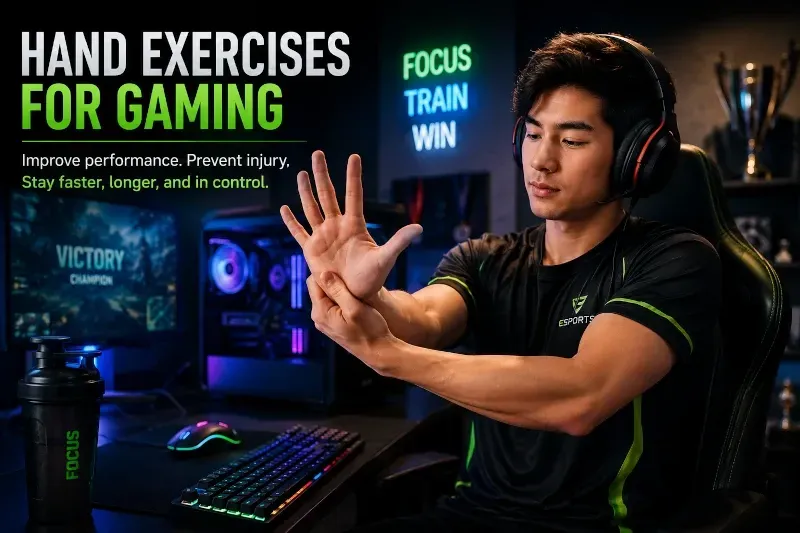
Hand exercises for gaming help improve performance while reducing the risk of repetitive stress injuries. They improve flexibility, circulation, grip endurance, and finger speed while helping prevent wrist pain, tendonitis, and carpal tunnel syndrome.
Many professional esports players now use stretching and mobility exercises as part of their regular gaming routine to maintain hand endurance, improve reaction speed, and reduce fatigue during competition.
Competitive gaming demands speed, precision, endurance, and rapid reflexes — all of which depend on healthy, flexible hands and wrists.
When hands and fingers are overworked or unprepared for long gaming sessions, problems can develop such as:
That’s why hand exercises for gaming are important — not just for injury prevention, but for maintaining performance. Flexible, responsive hands can improve comfort, endurance, reaction speed, precision, and consistency during long gaming sessions.
Many gamers wait until pain begins before stretching. But competitive gamers increasingly use hand exercises proactively as part of their warm-up and recovery routine to help maintain flexibility, reduce fatigue, and keep hand movements smooth and responsive.
Even a few minutes of stretching every hour can help maintain faster finger movement, smoother reactions, better endurance, and improved comfort during extended gaming sessions.
Hand exercises for gaming improve finger mobility and precision, and reduce repetitive strain.
Simple stretches such as prayer stretches, wrist circles, thumb stretches, and finger mobility exercises help keep movements fast and fluid, improve circulation, and lower the risk of gaming-related wrist and hand injuries.
Gaming Hand Pain or Numbness?
These two free tools can help you determine whether your symptoms may be related to carpal tunnel syndrome.
People Also Ask
Do hand exercises help gamers?
Yes. Hand exercises improve circulation, flexibility, and tendon mobility while reducing stiffness and repetitive strain.
Can gaming cause carpal tunnel syndrome?
Long gaming sessions with repetitive hand movements may contribute to carpal tunnel syndrome and tendon irritation.
How often should gamers stretch their hands?
Many therapists recommend short stretching breaks every 30–60 minutes during extended gaming sessions.
What are the best hand exercises for gaming?
Prayer stretches, thumb stretches, wrist circles, and finger mobility exercises are among the best hand exercises for gamers.
Why Gamers Need Hand Exercises
Tight, fatigued hands can reduce reaction speed, decrease precision, and make long gaming sessions less comfortable. Flexible hands and wrists move more efficiently, which may help improve endurance and consistency during competitive play.
Gaming places repetitive stress on:
- finger tendons
- thumb joints
- wrist ligaments
- forearm muscles
- the median nerve
Fast clicking, gripping controllers, and repetitive keyboard movement can gradually irritate tendons and compress nerves.
Many gamers eventually notice:
- stiff fingers
- wrist soreness
- slower finger movement
- hand fatigue
- numbness
- tingling
- burning sensations
Without recovery time, these repetitive movements may contribute to repetitive stress injuries like
Carpal Tunnel Syndrome and
tendonitis.
The good news is that short, regular hand exercises may help reduce this strain while improving comfort, precision, and control.
When to Do Gaming Hand Exercises
The stretches described below help keep wrist movements smooth, fast, and responsive during long gaming sessions.
Do them often and consistently. One of the best strategies is the
“30-30 Rule”:
- every 30 minutes of gaming
- take a 30-second stretch break
This helps:
- maintain finger speed
- reduce reaction fatigue
- preserve wrist mobility
- improve hand endurance
- keep hand movements precise during long sessions
Stretching is especially important:
- before competitive play tournaments
- before marathon gaming sessions
- after intense competitive play
- whenever numbness or stiffness begins
Think of these exercises as a pre-game warm-up and recovery routine for your hands.
Pre-Game Warm-Up Tip
Perform these stretches for 2–3 minutes before long gaming sessions or tournaments. Warm muscles and tendons move more efficiently and are less prone to strain.
1. Helicopter Stretch
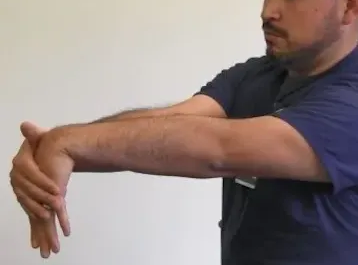
2. Prayer Stretch
3. Interlace Stretch
4. Stop Stretch
5. Reverse Stop Stretch
6. Thumb Stretch
Don’t Ignore Gaming-Related Hand Symptoms
Persistent numbness, tingling, burning, or weakness may signal repetitive stress injury or carpal tunnel syndrome.
Performance Tip
Tight, fatigued fingers often move slower and less precisely during long gaming sessions. Regular stretching helps maintain smoother movements, quicker reactions, and better hand control.
The Benefits of Hand Exercises for Gamers
Regular hand exercises help gamers maintain speed, comfort, flexibility, endurance, and precise hand control during extended play.
They:
- improve circulation
- maintain flexibility
- reduce stiffness
- improve endurance
- decrease tendon tightness
- maintain finger agility
- improve comfort during long sessions
- improve gaming recovery
More importantly, consistent stretching may help reduce the risk of:
Healthy hands are essential for maintaining gaming performance over time.
Warning Signs Gamers Should Not Ignore
Seek medical evaluation if you experience:
- persistent numbness
- nighttime tingling
- weakness
- dropping objects
- burning wrist pain
- thumb weakness
- reduced grip strength
- symptoms lasting weeks or months
These may indicate repetitive stress injury or worsening nerve compression. Early treatment is usually much easier than treating advanced symptoms.
Summary
Hand exercises for gaming help maintain faster reactions, smoother movement, better endurance, and improved comfort during long gaming sessions while reducing repetitive strain on the hands and wrists.
Even short stretching breaks can help maintain faster finger movement, reduce fatigue, and lower the risk of repetitive stress injuries.
Consistent stretching is one of the simplest and most effective ways gamers can protect their hands long-term.
Key Takeaways
- Hand exercises for gaming improve flexibility and circulation.
- Stretch every 30–60 minutes during long gaming sessions.
- Thumb and wrist stretches are especially important for gamers.
- Stretching may help reduce repetitive stress injuries.
- Persistent numbness or tingling should never be ignored.
- Healthy hands help maintain gaming performance and endurance.
About Dr. Zannakis